
 IN
IN
 CA
CA
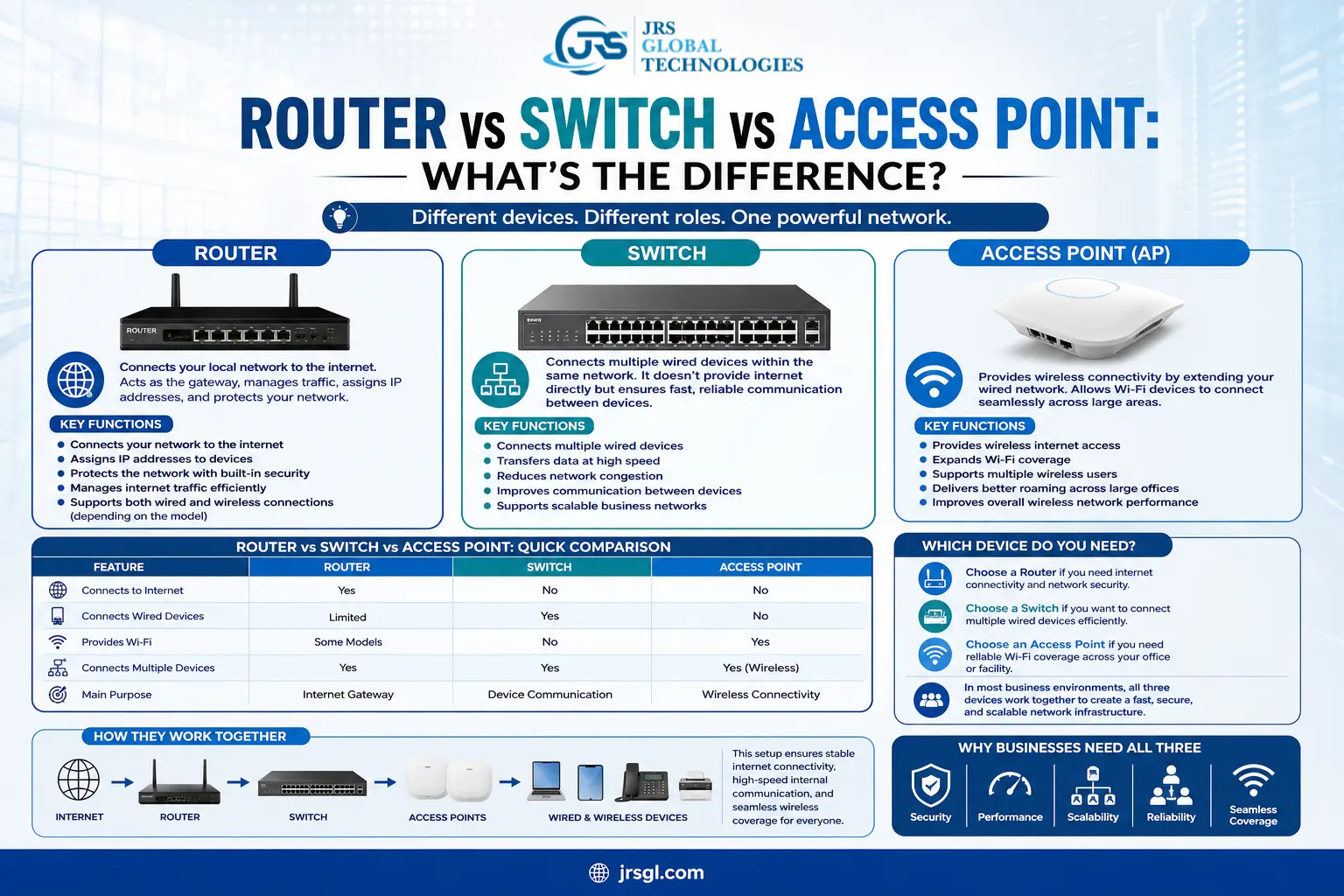
Router vs Switch vs Access Point: What's the Difference?
In today's connected world, a reliable network is essential for businesses of all sizes. Whether you're setting up a small office, expanding an enterprise network, or upgrading your IT infrastructure, understanding the difference between a router, switch, and access point is crucial. Although these networking devices work together, each serves a unique purpose in ensuring fast, secure, and seamless connectivity.
At JRS Global Technologies Pvt Ltd, we help businesses design and deploy robust networking solutions tailored to their operational needs. In this guide, we'll explain what each device does, how they differ, and when you should use them.
What is a Router?
A router is the device that connects your local network to the internet. It receives data from your Internet Service Provider (ISP) and intelligently routes it to the connected devices within your home or office.
Think of a router as the traffic controller of your network. It ensures that data reaches the correct destination while protecting your network with features like firewalls, Network Address Translation (NAT), and security settings.
Key Functions of a Router:
- Connects your network to the internet
- Assigns IP addresses to devices
- Protects the network with built-in security
- Manages internet traffic efficiently
- Supports both wired and wireless connections (depending on the model)
A router is essential for every business network that requires internet access.
What is a Network Switch?
A network switch connects multiple devices within the same Local Area Network (LAN). Unlike a router, a switch does not provide internet connectivity directly. Instead, it allows computers, printers, IP phones, servers, CCTV systems, and other devices to communicate with each other efficiently.
Modern managed switches also offer advanced features such as VLANs, Quality of Service (QoS), traffic monitoring, and network segmentation, making them ideal for business environments.
Key Functions of a Switch:
- Connects multiple wired devices
- Transfers data at high speed
- Reduces network congestion
- Improves communication between devices
- Supports scalable business networks
Switches are widely used in offices, schools, hospitals, manufacturing facilities, and enterprise data centers.
What is an Access Point (AP)?
A Wireless Access Point (AP) extends your wired network by providing Wi-Fi connectivity. It connects to a switch or router through an Ethernet cable and allows wireless devices such as laptops, smartphones, tablets, and IoT devices to join the network.
Unlike a standard Wi-Fi router, enterprise access points are designed to support a larger number of users while providing stronger coverage, better performance, and centralized management.
Key Functions of an Access Point:
- Provides wireless internet access
- Expands Wi-Fi coverage
- Supports multiple wireless users
- Delivers better roaming across large offices
- Improves overall wireless network performance
Access points are ideal for corporate offices, hotels, educational institutions, warehouses, hospitals, and commercial buildings.
Router vs Switch vs Access Point: Quick Comparison
| Feature | Router | Switch | Access Point |
|---|---|---|---|
| Connects to Internet | Yes | No | No |
| Connects Wired Devices | Limited | Yes | No |
| Provides Wi-Fi | Some Models | No | Yes |
| Connects Multiple Devices | Yes | Yes | Yes (Wireless) |
| Main Purpose | Internet Gateway | Device Communication | Wireless Connectivity |
Which Device Do You Need?
The answer depends on your networking requirements.
- Choose a Router if you need internet connectivity and network security.
- Choose a Switch if you want to connect multiple wired devices efficiently.
- Choose an Access Point if you need reliable Wi-Fi coverage across your office or facility.
In most business environments, all three devices work together to create a fast, secure, and scalable network infrastructure.
Why Businesses Need All Three
For a modern office, a typical network setup looks like this:
Internet → Router → Switch → Access Points & Wired Devices
This architecture ensures stable internet connectivity, high-speed internal communication, and seamless wireless coverage for employees and visitors.
How JRS Global Technologies Pvt Ltd Can Help
Choosing the right networking equipment is only part of building a reliable IT infrastructure. Proper network planning, installation, configuration, and maintenance are equally important.
JRS Global Technologies Pvt Ltd specializes in delivering end-to-end networking solutions for businesses across various industries. Our services include:
- Enterprise Networking Solutions
- Structured Cabling
- Wireless Network Deployment
- Managed Switch Configuration
- Router Installation & Security
- Wi-Fi Site Surveys
- IT Infrastructure Design
- Annual Maintenance & Technical Support
Our experienced professionals ensure your network is secure, scalable, and optimized for peak performance.
Final Thoughts
Understanding the difference between a router, switch, and access point is the first step toward building an efficient network. While a router connects your business to the internet, a switch enables communication between wired devices, and an access point provides seamless wireless connectivity. Together, these devices create a reliable networking ecosystem that supports productivity, collaboration, and business growth.
If you're planning to upgrade your office network or deploy a new IT infrastructure, JRS Global Technologies Pvt Ltd is your trusted technology partner. Contact our team today to discover networking solutions tailored to your business needs.