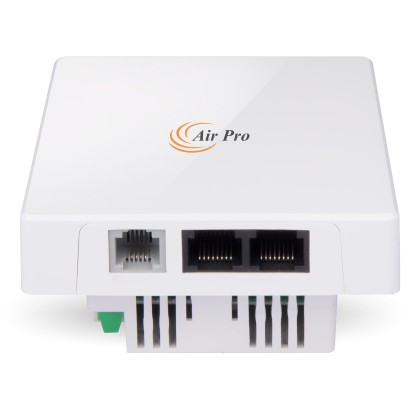
- In Wall Panel Design
- Wireless N and 300Mbps Speed
- Power over Ethernet.
- RJ11 Port for Telephone Function
- Support Multiple SSID and VLAN TAG
- Centralized Management and through controller
What does this product do?
AirPro WAP1100 is an in-wall AP with Qualcomm chipset, which provides Internet access at a data rate of 300Mbps. It is designed mainly for hotels to provide guests and roomers secure Internet access and phone line connection in their hotel room, guest room, living room, and lobby.
It supports 802.3af PoE, compliant with any 802.3af Power over Ethernet equipment, easy to install, and provides complete Wi-Fi coverage.
Managed by WLAN controller, easy to configure data centrally or remotely; also it works with cloud server for portal authentication and advertisement function.
Key Features:
In Wall Panel Design:
- Matches with cassette size of 86mm , effortlessly provide Wi-Fi and matches with design style.
Multiple Ports, Wireless Access point (Wireless N), and 300Mbps Speed :
- Compliant with IEEE 802.11b/g/n standard; comes with a data rate of 300Mbps providing the seamless internet surf and faster downloads.
- 300Mbps data rate with RJ45 ports and RJ11 telephone port, transmission wireless signal, and supply data for telephone, easy to set up, and manage.
Power over Ethernet:
- It supports 802.3af PoE, can be powered by any 802.3af Power over Ethernet equipment, making it a cost-effective solution.
RJ11 Port for Telephone Function:
- At the front WAP1100 features an RJ11 port, to work with telephone from the hotel management system, additionally saving wiring cost.
Support Multiple SSID and VLAN TAG:
- AirPro WAP1100 supports 4 SSID; each SSID can be tagged for a specified network VLAN for different user access, based on established access rights and internet safety.
Centralized Management through controller:
- It supports the WLAN controller for centralized management, allowing IT staff to set up separate IP addresses, ESSID, and manages AP’s of each room at the same time.
- Also, they can remotely add, set up, monitor, delete and upgrade firmware via the WLAN controller through the computer.